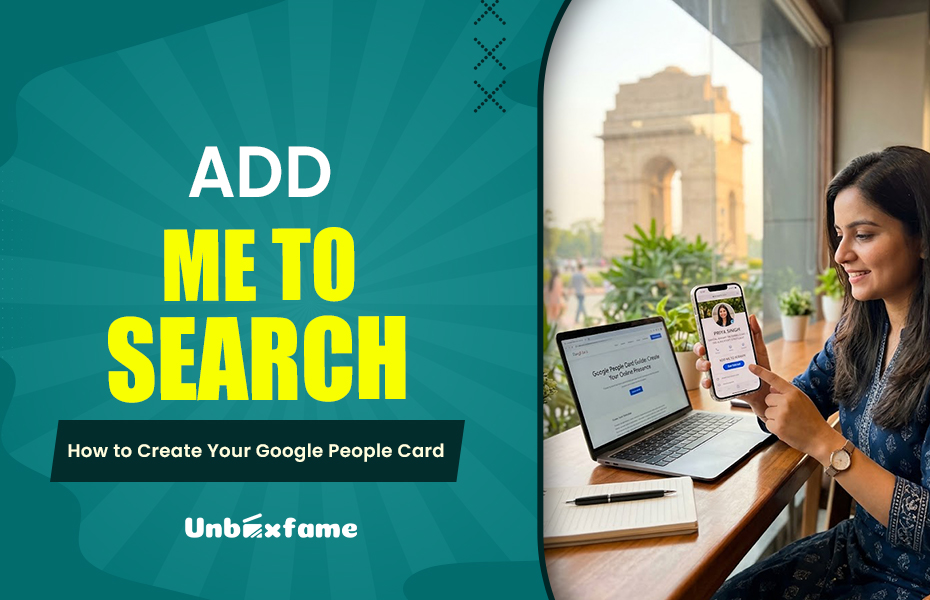
Recall the time you searched for someone before you met them. Likely you typed that person’s name into Google. Many of us do this, and your future clients, employers and partners also use Google for that. The things they see in a few seconds can decide if they trust you.
That is why your online presence matters. It is not about being famous. It is about being easy to find and easy to believe. In this guide we will look at Google People Cards: what they are, how to set one up how to keep it updated and how to remove it if you change your mind.
What Is Add Me to Search?
“Add me to Search” is the name Google chose for a feature that allows regular people to add a public profile to search results. That profile is known as a People Card; and the best way to imagine it is like a business card.
A card can show your name like what you do and where you live and a whole description of your profile and also the links that you added to your profile. Google created it for people who don’t have a website. We can say like freelancers and shop owners, etc. The goal was straightforward: give them a way to appear on Google with technical work.
Why Is a Google People Card Important?
Having an online identity really makes life simpler. When your information is correct and in one place people don’t have to try to figure you out from posts and old listings. This makes it easier for people to find you professionally. It also gives you more say in how you are shown.
It also helps if you have a name that is shared by someone. A photographer named Rahul Sharma for example can often be confused with a dozen Rahul Sharmas. Correct details help people know which Rahul Sharma is you.
One important thing to remember: making a card does not guarantee that you will show up in search results. Google makes that decision. It looks at many other things as well.
How to Create a Google People Card
Remember: Google frequently updates or removes features. Follow these steps for a betterment of your profile.
Step 1: Check People Cards Availability.
First find out whether People Cards are actually offered where you live and for your account. People Cards were rolled out in regions and languages and that may have changed. Sign in to your Google account search for “Add me to Search ” and see what appears. Google’s official help pages are also worth a look.
Step 2: Prepare Your Information.
Prepare Your Information before you open the People Cards form. You will likely need your name and your job title or field a short bio and links to your website or professional profiles if the form supports them. Keep the bio plain and factual. Make sure the bio matches how you describe yourself on other sites.
Step 3: Complete and Review Your People Cards Profile.
Fill in each field carefully then read everything before you submit. Typos and wrong details are surprisingly common. They are annoying to fix later. This is also the time to check your privacy settings and decide what you are really comfortable making public. If People Cards are not available to you stop there. Do not trust tutorials that promise a workaround.
How to Edit or Update Your Google People Card
Careers change fast. You might switch jobs start offering services move to a new location or rebrand your business. When that happens having a business card can give people the wrong impression.
If you already have a business card set up go to your Google account. Check the search result directly. Look for the edit options. Where Google allows you to update information make sure to refresh anything that’s outdated. It’s a good idea to check in every few months even if nothing big has changed. A little effort keeps your image sharp and professional.
Managing Contact Details and Privacy
The truth of your profile is that anyone can read about you. So before adding your personal information like phone number or email, think about where it should be added or not. Go through each detail of the same. If there is an option to edit or delete, then you can change it. Keep all information away from your profile like your address and financial details and ID numbers. A working email ID is a better option than your phone number.
How to Remove a Google People Card
Nowadays, people usually remove their profiles for different reasons. Maybe you have changed your career path. Or maybe you no longer want to use it or simply don’t need the card anymore. I suggest starting with Google account controls and help pages to find removal options. Menu and settings moving around the older instructions may no longer work and it is best to count on them.
Tips for strong online presence
These few habits will do more for you in the long run. And make you properly known.
- Always keep your name, title, and description updated across every profile you have.
- Write a clear and honest review or summary of what you do.
- Only link your real accounts that you actually use.
- Everything should be out of date so review everything now and then.
And be realistic. A card on its own won’t guarantee search visibility or a flood of leads. It works best alongside a site, active profiles, and good reviews.
Conclusion
Your reliable online identity helps people find you and trust what they are seeing about you. Before you follow any guide always check whether Google still has the feature or not because old instructions can become outdated quickly. No matter how your identity is online always be truthful about who you are online is always worth the effort. So always secure your profile and maintain it properly. Keep it up to date and always review everything.